
Christmas AI Photos · Guide
How to make AI Christmas photos: the free way and the fast way
What we learned building and testing this site’s Christmas styles: how to do it for free in a chatbot, when a one-click tool is worth it, which photos work best and what people make most.
Quick answer: The fast way: upload a clear photo to an AI Christmas photo generator such as this one, pick a style and download the result about a minute later — no prompt, first photo free. The free way: attach the photo in ChatGPT or Gemini and paste a prompt that describes the scene and tells the AI to keep every face exactly the same.
Updated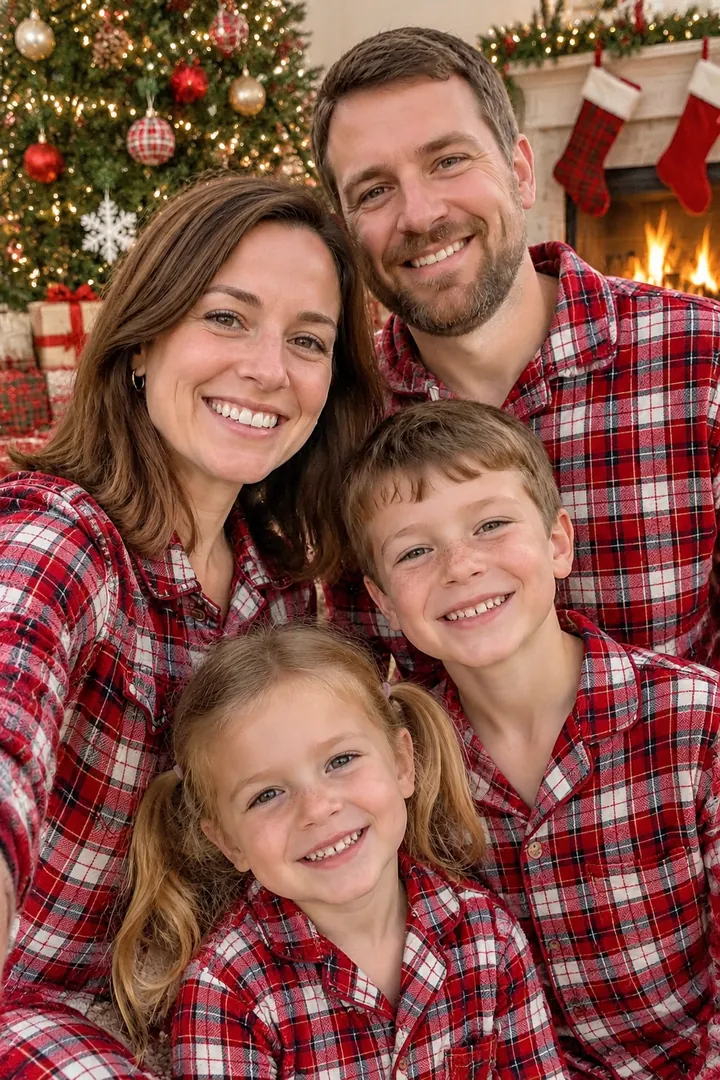
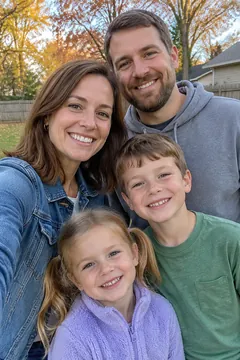 Before
The free way: ChatGPT or Gemini
- Pick a sharp photo where every face is large and in focus (daylight, no sunglasses or heavy filters).
- Open ChatGPT or Gemini, attach the photo and paste a Christmas prompt — the scene, the outfits, the light.
- End the prompt with: keep everyone’s face, skin tone, hair and age exactly the same; do not add or remove people.
- Download the result. If a face drifts, run the same prompt again or try a closer photo.
Our 27 free Christmas prompts are ready to paste, each with an example result.
What to watch out for
- Faces drift. Image models redraw the whole picture; group photos change most. Expect a few tries.
- Daily limits. Free plans cap how many images you can make, which runs out fast with retries.
- Several photos into one. Combining family members from separate photos is hit and miss in a chat.
- Your family photos stay in the chat. They remain in your chat history until you delete them.
The fast way: one click on this site
- Choose a style on this site: family portrait, photo with Santa, pet, baby, couple, Santa in my house or Christmas card.
- Upload one phone photo (or up to 4 for a family portrait) and pick a look, such as matching pajamas.
- Press Create and download your photo about a minute later; switch on HD to print, or tap “Make it move” for a video.
When it’s worth it
When you want a result without prompting, need several people from separate photos in one portrait, want a card with your own greeting lettered in, or want to turn the photo into a short video. Your first photo is free; after that each photo costs $0.20–$0.33, and uploads are deleted within 48 hours and never used to train AI.
Free chatbot vs. AI Christmas photo site vs. photo studio
| Compare | Christmas AI Photos | Free chatbot + prompt (ChatGPT, Gemini) | Holiday photo studio |
|---|---|---|---|
| Price | First photo free, then $0.20–$0.33 per photo; no subscription | Free on free plans, with daily limits | Paid session, usually booked weeks ahead |
| Effort | Upload, pick a style, download | Paste or write a prompt; often a few tries | Outfits, travel and a set time for everyone |
| Faces | Every look tested to keep faces and pets true | Faces can drift; run it again | Real photos |
| People from separate photos | Up to 4 photos in one family portrait | Possible, but hit and miss | Everyone has to be there |
| Card with your greeting | Lettered in; HD for 5×7 prints | Possible; check the spelling | Usually an extra order |
| Photo to video | 6-second video with sound (8 credits) | Needs a separate video tool | Not included |
| Your uploads | Deleted within 48 hours, never used for training | Stay in your chat history unless you delete them | Kept by the photographer |
Try the fast way — your first photo is free
Which photo works best
- People: faces large, sharp and lit from the front; group selfies are fine. Avoid sunglasses, hats that cover the face and beauty filters.
- Pets: shoot at eye level so the face and markings are clear.
- Babies: one clear, well-lit close-up beats a wide room shot.
- Santa in my house: a wide photo of the whole room from a corner, with the lights on.
- To print: use HD (2K) for 5×7 prints and cards.
When to make them
In US Google Trends for 2025, searches for “ai christmas photo” climbed through December and peaked on December 20 at more than ten times their early-November level, then dropped right after Christmas. Searches for “santa in my house” only jump on December 24 and 25, when parents make surprise pictures for the kids.
If you want printed cards in time, make your photo in early December; digital cards and videos can wait until Christmas Eve.
Popular AI Christmas photo ideas
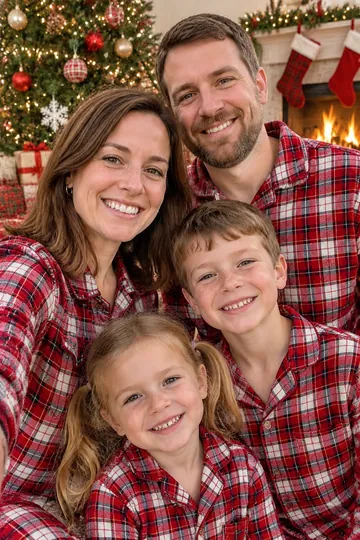 Matching pajamas family portraitThe classic: everyone in matching plaid pajamas by the tree. Works from one group photo or several separate ones.
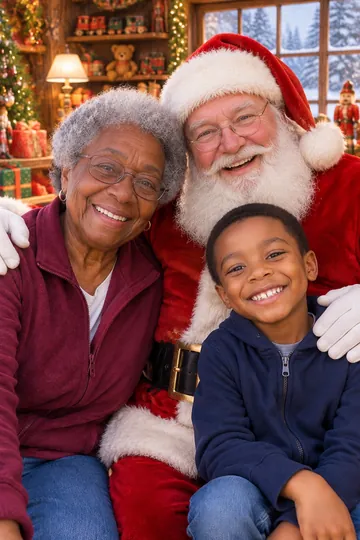 Photo with SantaKids, couples, grandparents or the dog next to Santa in his armchair or workshop — no mall line.
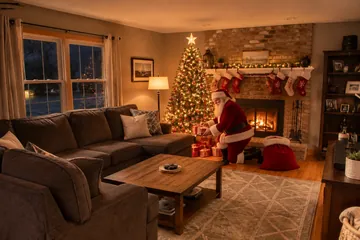 Santa caught in your living roomA photo of your own room on Christmas Eve with Santa leaving presents — parents make these for Christmas morning.
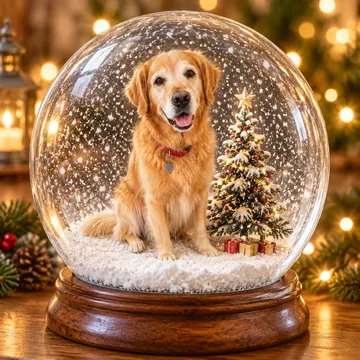 Pets in Santa hats and snow globesDogs and cats by the fireplace, in sweaters, in a gift box or inside a snow globe, with their real markings.
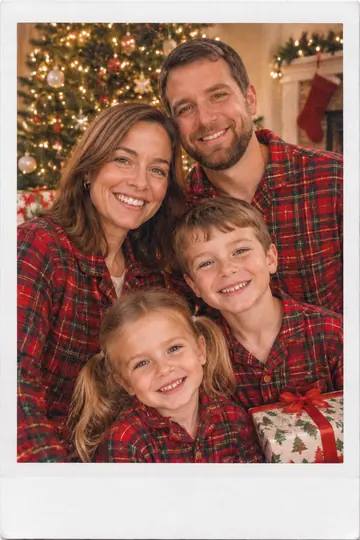 Instant-film and vintage looksChristmas morning as an instant-film print with a white border, or a faded 1960s family snapshot.
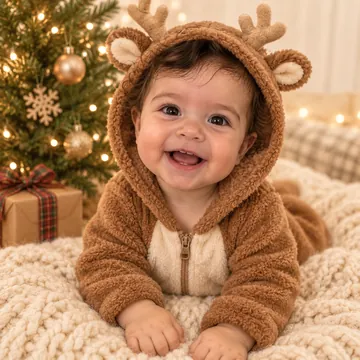 Photo to videoSnow starts falling, Santa photobombs or your dog gets the zoomies: a 6-second clip with sound for TikTok and Reels.
Posting and privacy
When you post an AI Christmas photo or video publicly, turn on the platform’s “AI-generated” label — TikTok, Instagram and YouTube all have one. Only upload photos you have the right to use, and think twice before posting children’s photos publicly.
Stick to traditional Christmas figures — Santa Claus, elves, reindeer, snowmen. Many AI tools refuse trademarked characters, and platforms can remove posts that use them.
Questions
Can ChatGPT make a Christmas photo from my photo?
Yes. Attach your photo, paste a Christmas prompt and ask it to keep faces exactly the same. Results are often good on the first or second try; faces in group photos drift more. Free plans limit how many images you can make per day.
Can Google Gemini make AI Christmas photos?
Yes, the same way: attach a photo and describe the Christmas scene. The prompts on our prompt page work in both ChatGPT and Gemini.
Is there a free AI Christmas photo generator?
Chatbots are free within their daily limits. On this site the first photo is free without an account, and signing up adds 2 more free photos; after that photos cost $0.20–$0.33 each with no subscription.
How do I keep my face the same in an AI Christmas photo?
Use a sharp photo where your face is large, avoid sunglasses and beauty filters, and say explicitly to keep faces, skin tone, hair and age exactly the same. Our styles are pre-tested for this; with a chatbot, retry when a face drifts.
How do I put family members from different photos together?
Upload up to 4 photos to the family portrait style here and everyone is placed in one picture, each person once. In a chatbot, attach all photos in one message and ask it to put everyone together.
How do I make an AI Christmas video?
Make a Christmas photo first, then tap “Make it move” and choose a template, such as falling snow or a Santa photobomb. You get a 6-second video with sound for 8 credits.
Can I print AI Christmas photos and cards?
Yes. Switch on HD for a 2K image (1344×2016 for portraits), which prints crisply at 5×7 inches at a drugstore photo counter or any online printer.